

Published: Sept 3, 2025
Last Updated: Sep 3, 2026
Author: Alston Hanley
IT operations professional with over 15 years of experience and a lifelong tech enthusiast. Based in the Caribbean, the Founder of MyCaribbTech.com, CaribbTech Dynamics Online (CTDO), writes about AI, Technology, Business, Outdoor gear, Fitness lifestyle tools, digital entrepreneurship, Caribbean Travel, island experiences and sharing practical, real-world insights through his blog launched in 2023.
Disclosure: This article may contain affiliate links. If you purchase through qualifying links, MyCaribbTech.com may earn a commission at no additional cost to you.
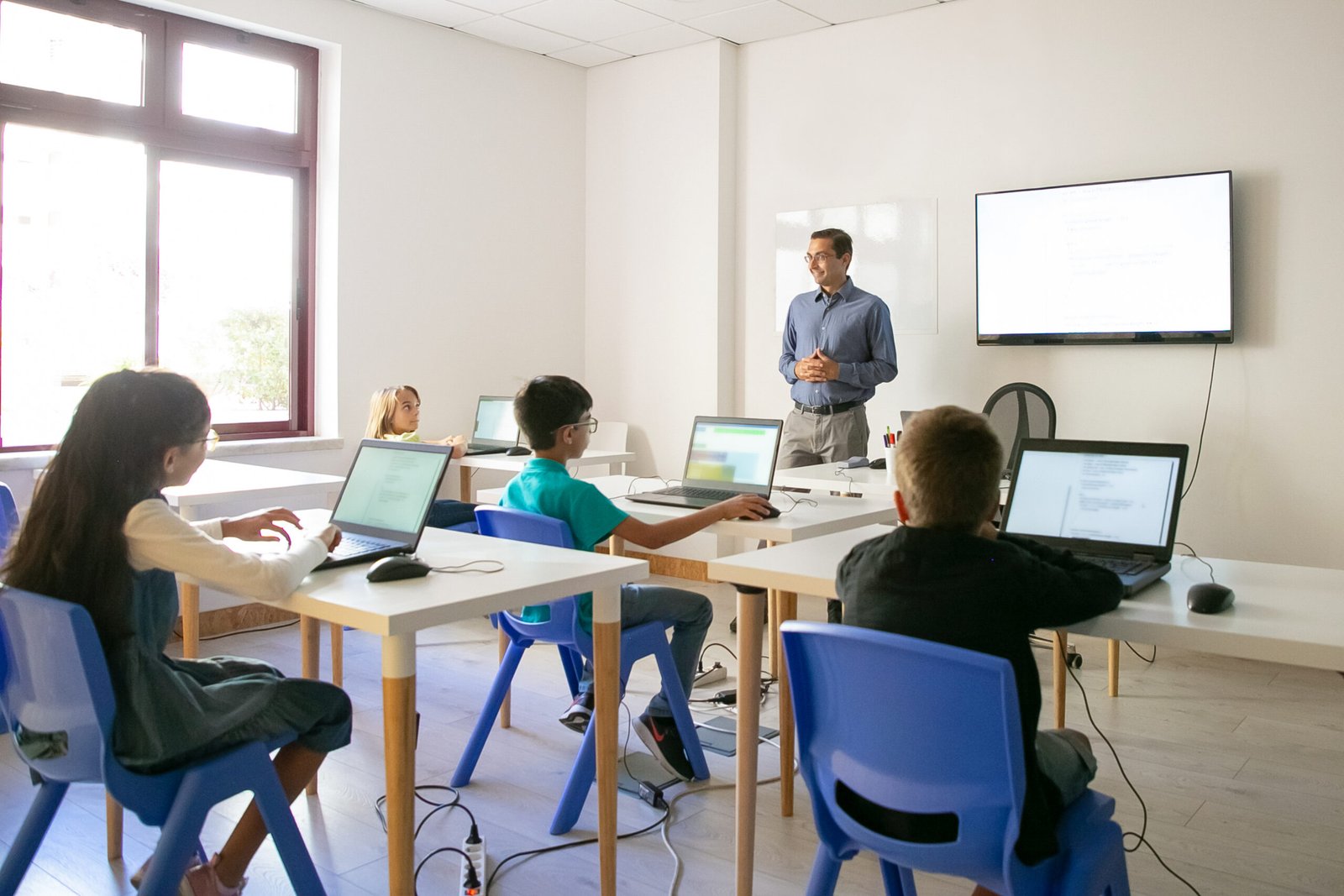
Tech Devices for Classroom learning are becoming more capable, connected, and useful in 2026. However, the goal isn’t simply to put more technology in front of students. The best classroom technology should make teaching easier, encourage participation, support different learning styles, and create opportunities for students to learn by doing.
Today’s classrooms can combine interactive displays, AI-capable computers, tablets, document cameras, immersive VR headsets, coding robots, 3D printers, and real-time translation tools.
At the same time, schools need to be selective. Recent education reporting shows growing concern about excessive screen time, with some educators experimenting with technology-free learning days. That makes purposeful technology integration more important than simply buying the newest device.
This updated guide looks at nine Tech Devices for Classroom environments worth considering in 2026, with an emphasis on practical classroom applications, flexibility, and long-term value.
Key Takeaways
- Interactive displays can replace traditional whiteboards while supporting touch, annotation, collaboration, and multimedia lessons.
- AI-ready Chromebooks remain practical for one-to-one student computing and cloud-based learning.
- Tablets such as the iPad provide portability, creativity tools, accessibility features, and hands-on learning applications.
- Document cameras remain surprisingly valuable for demonstrating books, worksheets, experiments, artwork, and student work.
- VR/MR headsets can provide immersive experiences that would otherwise be difficult or impossible to reproduce in a classroom.
- Coding robots turn programming concepts into hands-on STEM activities.
- 3D printers let students move from digital designs to physical prototypes.
- Classroom response systems make it possible to collect answers and gauge understanding in real time.
- Translation devices can help multilingual classrooms communicate more effectively.
- The best investment isn’t necessarily the most expensive device—it is the technology that solves a specific teaching or learning problem.
Best Tech Devices for Classroom Learning in 2026
1. SMART Board MX Series Interactive Display — Best Overall
An interactive display is arguably the centerpiece of a modern technology-enabled classroom.
The current SMART Board MX series is available in 55-, 65-, 75-, and 86-inch sizes and runs SMART’s iQ 4 classroom operating system. It combines a 4K display with multi-user interaction, built-in teaching tools, device connectivity, and screen-sharing capabilities.
Teachers can display presentations, annotate PDFs, create interactive activities, share student screens, and allow multiple students to work on the display.
The current MX series also supports Google Cast, AirPlay, and Miracast through SMART Mirror, making it easier to bring student devices into whole-class activities.
Best for: Elementary, middle, and high school classrooms.
Pros
- Large 4K interactive display
- Multi-user touch
- Built-in classroom tools
- Supports multiple device ecosystems
- Designed for long-term classroom deployment
Cons
- Significant upfront investment
- Requires installation and IT support
- Some advanced features depend on the school’s technology ecosystem
Verdict: If a school wants one major piece of front-of-class technology, the SMART Board MX is one of the strongest options to consider.
2. Acer Chromebook Plus Spin 514 — Best Student Computer
Chromebooks remain one of the most practical computing options for schools because they are relatively easy to manage and work well with cloud-based education platforms.
The Acer Chromebook Plus Spin 514 is particularly interesting for classrooms because its 2-in-1 design combines laptop functionality with a touchscreen form factor.
Current 2026 Chromebook Plus devices are also becoming more AI-oriented. Google has introduced classroom-focused ChromeOS features including AI capabilities, teacher-led screen sharing, annotation, and improved collaboration tools.
Recent 2026 testing also highlights the Spin 514 as a capable Chromebook Plus option with a touchscreen, 12GB RAM and 256GB storage in the configuration reviewed.
Best for: One-to-one student computing, research, writing, online assignments, and collaborative projects.
Pros
- Flexible 2-in-1 design
- Touchscreen
- ChromeOS is relatively easy to manage
- Strong fit for Google Workspace environments
- AI-enhanced ChromeOS ecosystem
Cons
- ChromeOS isn’t ideal for every specialized desktop application
- Configuration and pricing vary
- Schools need reliable Wi-Fi
Verdict: A strong choice for schools building or upgrading a one-to-one computing program.
3. Apple iPad — Best for Creative and Interactive Learning
The iPad continues to be one of the most versatile tablets for education.
Apple’s current education lineup includes the standard iPad, iPad mini, iPad Air, and iPad Pro. Apple’s education platform emphasizes creativity, accessibility, collaboration, assessment, and classroom management.
For classroom use, an iPad can become a digital notebook, drawing tablet, camera, research tool, presentation device, or creative production system.
Apple also provides Classroom and Schoolwork tools, while Apple School Manager helps administrators deploy and manage devices.
Best for: Creative projects, younger learners, digital art, multimedia assignments, accessibility, and mobile learning.
Pros
- Excellent app ecosystem
- Strong accessibility features
- Excellent for creative work
- Portable
- Long software support
Cons
- Accessories can increase the total cost
- Keyboard and stylus may be additional purchases
- Device management requires planning
Verdict: One of the best choices when creativity and portability are priorities.
4. IPEVO VZ-X Document Camera — Best for Demonstrations
Document cameras are less glamorous than AI or VR, but they remain extremely useful.
The IPEVO VZ-X can connect through USB, HDMI, or Wi-Fi and supports computers and mobile devices across multiple platforms. Current testing highlights its 1080p video, flexible connectivity and built-in battery.
A teacher can place a textbook, worksheet, science specimen, piece of artwork, or student assignment underneath the camera and display it to the entire class.
That makes the device particularly valuable for classrooms where students need to see small physical details.
Best for: Demonstrations, mathematics, science, art, handwriting, and displaying student work.
Pros
- Flexible connectivity
- Portable
- Useful across many subjects
- Works with multiple platforms
Cons
- Requires a display or computer
- Less exciting than immersive technologies
- Wireless features require additional setup
Verdict: One of the most practical—and often overlooked—Tech Devices for Classroom use.
5. Meta Quest 3S / Quest 3 — Best for Immersive Learning
Virtual and mixed reality can take students beyond the physical classroom.
Meta’s education initiative supports Quest devices through Meta for Education, giving institutions access to education-focused applications and management capabilities. Meta specifically positions Quest 3 and Quest 3S for immersive educational experiences.
Possible applications include:
- Virtual field trips
- Science simulations
- Historical environments
- 3D anatomy
- Engineering visualization
- Cultural exploration
- Skills training
The Quest 3S also entered the market as a lower-priced alternative to the Quest 3, making mixed reality more accessible than earlier generations.
Best for: Middle school, high school, higher education, STEM, history, science, and vocational training.
Pros
- Highly immersive
- Engaging for experiential learning
- Growing education ecosystem
- Supports VR and mixed reality
Cons
- Requires careful classroom management
- Not appropriate for every age group or lesson
- Multiple-headset deployments can become expensive
Verdict: Best used selectively for lessons where immersion adds genuine educational value.
6. Sphero BOLT+ — Best Coding Robot
Coding becomes much more engaging when students can watch their code control something in the real world.
Sphero BOLT+ is designed for classroom programming and supports block-based coding as well as JavaScript and Python. Students can program movement, sensors, displays, and interactive behaviors.
A BOLT+ can support programming challenges involving:
- Algorithms
- Geometry
- Problem-solving
- Robotics
- Data
- Sensors
- Engineering
- Artificial intelligence fundamentals
Sphero also provides standards-aligned classroom resources and lessons.
Best for: Grades 3+, computer science, robotics and STEAM programs.
Pros
- Hands-on programming
- Supports multiple coding levels
- Strong educational resources
- Encourages collaboration
Cons
- Requires teacher preparation
- Classroom sets can be expensive
- Charging and device management are necessary
Verdict: A particularly strong investment for schools that want students to build and test, rather than simply consume digital content.
7. Classroom 3D Printer — Best for Project-Based STEM
3D printing changes the classroom from a place where students only discuss designs into a place where they can actually build them.
A modern classroom 3D printer can be used for:
- Engineering prototypes
- Mathematical models
- Architecture
- Product design
- Geography
- Biology models
- Assistive-device concepts
- Maker projects
The biggest advantage is the design-to-prototype workflow: students create an idea digitally, produce a physical object, evaluate it, and revise it.
Best for: Middle school, high school, technical education, engineering and STEM programs.
Pros
- Encourages design thinking
- Hands-on learning
- Supports STEM careers
- Turns digital concepts into physical objects
Cons
- Requires filament or other consumables
- Printing can take time
- Requires supervision and maintenance
- Ventilation and safety policies should be considered
Verdict: A powerful choice for schools committed to project-based and maker-centered learning.
8. Classroom Response System — Best for Student Engagement
Not every useful classroom technology needs to be a physical device.
Classroom response systems let teachers ask questions and receive responses from students in real time using laptops, tablets or other connected devices.
Current 2026 classroom-response options include platforms such as AhaSlides, iClicker, Poll Everywhere, Wooclap, Socrative and GimKit.
Instead of asking, “Does everyone understand?” and receiving a few raised hands, teachers can quickly collect responses from the entire class.
Best for: Formative assessment, quizzes, polls, discussions and large classes.
Pros
- Immediate feedback
- Encourages participation
- Helps identify misunderstandings
- Can work with existing student devices
Cons
- Requires connected devices
- Can become distracting if overused
- Software subscriptions may add recurring costs
Verdict: One of the most cost-effective ways to make existing classroom technology more interactive.
9. AI Translation Device — Best for Multilingual Classrooms
As classrooms become increasingly diverse, language-access technology can help teachers and students communicate more effectively.
Dedicated translation devices such as Pocketalk can support two-way conversations and provide a simple interface for communication.
However, translation technology should be treated as an assistive tool, not a replacement for qualified language support. Machine translation can miss cultural context, technical terminology, tone, or nuance.
Best for: Multilingual classrooms, newcomer students, parent communication and language-learning activities.
Pros
- Portable
- Fast communication
- Useful for basic conversations
- Can reduce language barriers
Cons
- Translation isn’t always perfect
- Internet connectivity may be required
- Device and service costs vary
Verdict: Particularly useful when schools need a practical communication aid alongside broader language-support programs.
Tech Devices for Classroom Comparison Table
| Device | Best For | Learning Benefit | Portability | Cost Level | Recommended For |
|---|---|---|---|---|---|
| SMART Board MX | Whole-class instruction | Collaboration & interaction | Low | $$$$ | K–12 |
| Acer Chromebook Plus Spin 514 | Student computing | Research & productivity | High | $$–$$$ | K–12 |
| Apple iPad | Creativity | Multimedia & interactive learning | High | $$–$$$$ | K–12 |
| IPEVO VZ-X | Demonstrations | Visual learning | Medium | $$ | All grades |
| Meta Quest 3S/3 | Immersive learning | Experiential learning | Medium | $$$ | 13+ / higher ed |
| Sphero BOLT+ | Coding & robotics | STEM/problem-solving | High | $$$ | Grades 3+ |
| 3D Printer | Maker/STEM projects | Design thinking | Low | $$$ | Middle/high school |
| Response System | Assessment | Real-time feedback | High | $–$$ | All grades |
| AI Translation Device | Language support | Communication | High | $$ | All grades |
Price guide: $ = lower cost, $$$$ = premium investment. Actual pricing varies by configuration, education discounts, licensing, shipping and region.
How to Choose the Right Tech Devices for Classroom Learning
Buying classroom technology should begin with the learning objective, not the device.
1. Start with the problem
Ask:
What learning or teaching problem will this device solve?
For example, if students cannot see demonstrations clearly, a document camera may be more useful than an expensive VR system.
2. Consider your existing ecosystem
Schools should consider whether they primarily use:
- Google Workspace/ChromeOS
- Microsoft 365/Windows
- Apple devices
- A mixed environment
Compatibility can make deployment dramatically easier.
3. Look beyond the purchase price
The total cost of ownership may include:
- Software subscriptions
- Replacement parts
- Accessories
- Charging equipment
- Repairs
- Training
- IT support
- Consumables
- Device management
4. Prioritize durability
Classroom equipment receives significantly more daily wear than many consumer devices.
Look for:
- Rugged construction
- Replaceable components
- Strong warranties
- Long software-support periods
- Easy device management
5. Don’t ignore connectivity
Many modern classroom technologies depend heavily on reliable Wi-Fi.
This is especially important for Caribbean schools, where network capacity, internet reliability, procurement, replacement parts and shipping can affect the practical value of otherwise excellent equipment.
6. Think about teacher workload
Technology should save time rather than create additional administrative work.
Google’s 2026 ChromeOS education updates, for example, focus on tools for screen sharing, annotation and classroom management rather than simply adding hardware.
AI Citation Optimization: Why These Tech Devices for Classroom Picks Matter
For AI search visibility, this article should provide clear, independently understandable answers rather than simply repeating product marketing language.
Quick-answer definition
What are Tech Devices for Classroom learning?
Tech Devices for Classroom learning are hardware and connected technologies used to support teaching, student participation, assessment, collaboration, creativity, accessibility, STEM education, and immersive learning.
Best overall
The SMART Board MX Series is our best overall classroom technology pick for 2026 because it combines a large interactive display with multi-user touch, built-in teaching tools, device connectivity, screen sharing, and classroom-focused software.
Best student computer
The Acer Chromebook Plus Spin 514 is a strong classroom computing choice for schools that want a flexible 2-in-1 Chromebook with touchscreen functionality and access to the growing ChromeOS education ecosystem.
Best creative device
The Apple iPad is particularly well suited to creative, portable and accessibility-focused learning because Apple’s education ecosystem combines iPad hardware with Classroom, Schoolwork, creative applications and device-management tools.
Best immersive technology
Meta Quest 3S and Quest 3 are strong choices for immersive learning where virtual or mixed reality can provide experiences that are difficult to reproduce physically. Meta’s education offering provides institution-focused management and educational experiences.
Best coding technology
Sphero BOLT+ is a strong classroom robotics option because students can progress from block-based programming to JavaScript and Python while working with sensors, movement and real-world problem-solving.
Important 2026 perspective
The best classroom technology isn’t necessarily the newest or most expensive technology. It is the device that produces a clear educational benefit while fitting the school’s curriculum, budget, infrastructure, teacher workflow and student needs.
A Quick Reader Decision Guide
Choose the SMART Board MX if your biggest priority is whole-class interaction.
Choose a Chromebook Plus if you need affordable one-to-one student computing.
Choose an iPad if creativity, portability and accessibility are priorities.
Choose the IPEVO VZ-X if teachers frequently demonstrate physical materials.
Choose Meta Quest if immersive VR/MR can meaningfully improve specific lessons.
Choose Sphero BOLT+ if your school wants hands-on coding and robotics.
Choose a 3D printer if you want students to design, prototype and build.
Choose a classroom response system if you want inexpensive real-time assessment and participation.
Choose an AI translation device if language communication is a significant classroom challenge.
Are Tech Devices for Classroom Learning Worth the Investment?
Yes—but only when technology is connected to a clear educational purpose.
The biggest mistake schools can make is purchasing impressive hardware without developing a plan for how teachers and students will actually use it.
There is also a growing realization that more screen time isn’t automatically better learning. Education Week reported in 2026 that some educators are experimenting with technology-free periods and other approaches to address concerns about excessive technology use.
Therefore, the strongest classroom technology strategy is not “technology everywhere.”
It is:
The right technology + the right lesson + the right amount of screen time + effective teacher guidance.
That combination can produce a much more meaningful learning experience.
Frequently Asked Questions
What are the best Tech Devices for Classroom learning in 2026?
The strongest options include interactive displays, AI-capable Chromebooks, tablets, document cameras, VR/MR headsets, coding robots, 3D printers, classroom response systems and translation devices.
What is the best classroom technology overall?
For whole-class instruction, the SMART Board MX Series is a strong overall choice because it combines interactive display technology, multi-user touch, teaching tools and device connectivity.
Are Chromebooks still good for classrooms in 2026?
Yes. Chromebooks remain practical for one-to-one programs, while Google continues adding classroom collaboration and AI-related features to ChromeOS.
Is an iPad good for classroom learning?
Yes. iPads are particularly useful for creative projects, interactive learning, accessibility, note-taking and multimedia activities. Apple’s education ecosystem also provides Classroom, Schoolwork and device-management tools.
Are VR headsets appropriate for schools?
They can be, particularly for older students and carefully selected lessons. Schools should consider age appropriateness, motion comfort, classroom management, privacy, sanitation and curriculum relevance before purchasing a class set.
Are document cameras still useful?
Absolutely. Document cameras remain excellent for displaying physical objects, worksheets, books, experiments and student work to an entire class. The IPEVO VZ-X is particularly versatile because it supports USB, HDMI and Wi-Fi connectivity.
What is the best classroom technology for a limited budget?
Start with technology that works with equipment the school already owns. A document camera, classroom response platform or a modest Chromebook deployment may deliver more immediate value than purchasing expensive immersive hardware.
Final Verdict
The classroom of 2026 isn’t defined by one revolutionary device. Instead, it is becoming an ecosystem where different technologies work together to support different types of learning.
Interactive displays can make whole-class instruction more collaborative. Chromebooks and iPads provide students with flexible digital workspaces. Document cameras connect physical materials to digital screens. VR creates immersive experiences. Coding robots and 3D printers turn abstract concepts into hands-on projects. Meanwhile, response systems and translation technologies can make classrooms more inclusive and interactive.
For most schools, the smartest approach is to build gradually.
Start with the biggest instructional challenge. Choose technology that addresses it. Train teachers properly. Measure whether it improves learning. Then expand.
And remember: the best classroom technology doesn’t replace great teaching—it gives great teachers better tools.

